Exclusive: Hands-on with GameSir’s RetroArch alternative with free games
📲 Hello and welcome to another edition of The Memory Core newsletter! This time, I have an exclusive sneak peek at GameSir's big play for emulation on phones, and you can try it out yourself today!
This story is partly due to my reporting on GameHub from earlier this month. I mentioned that the company had shifted dev resources to another project, and this is that project. Well, this and GameHub on Mac, I guess.
Here's the short version:
- GameSir Boy is a vertical frontend and multi-emulator with support for GBA, NES, and more on both Android and iOS.
- It's free and can be played via touch controls, but it's designed to integrate closely with the Pocket Taco controller.
- You can browse and download open-source homebrew games directly in the app.
- It's much easier to use than most multi-emulators, but it also lacks features like upscaling and shaders.
GameSir's next big play
GameSir, while nominally a controller company, is best known in the emulation community for its PC emulator GameHub. This breakthrough all made it easy for users to play their Steam libraries on their phones, and hopefully, buy a controller in the process.
The company's next project is an attempt to widen that net even further by simplifying retro game emulation as much as possible for newbies.
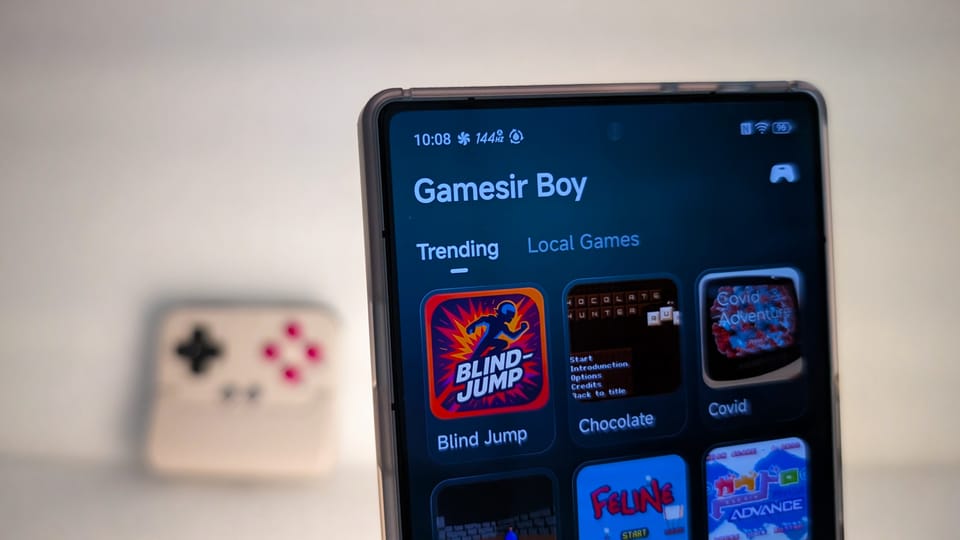
The app, called GameSir Boy, is essentially a vertical emulation frontend with a simple UI that's designed for phones. But unlike other frontends, it's also a RetroArch-style multi-emulator.
Here's how the app describes itself:
Turn your phone into the ultimate retro handheld. Supports NES, GBA formats. Deeply adapted for GameSir-Pocket Taco. Open Source Licensed games included, imports supported.
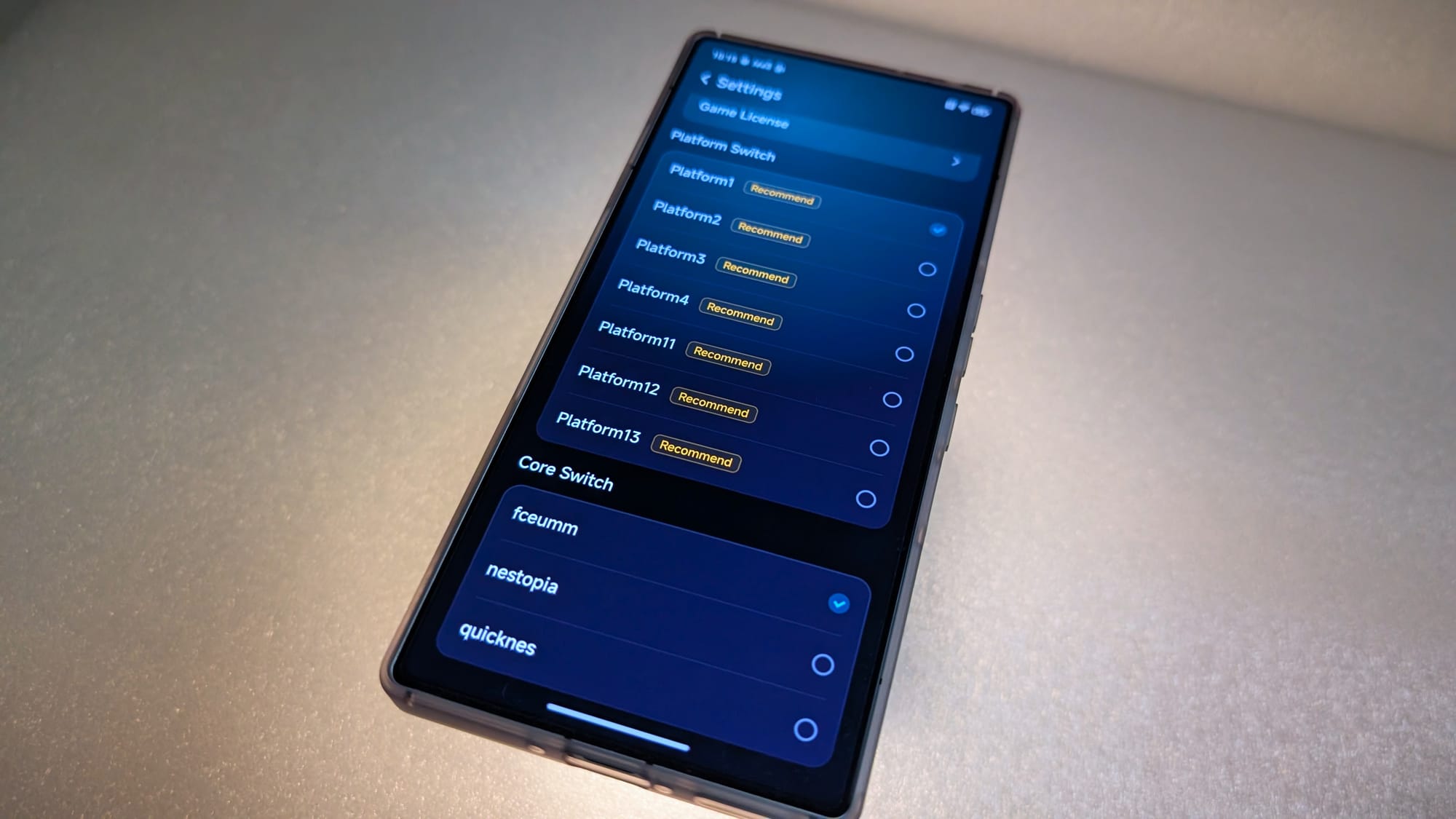
Despite the homepage only listing GBA and NES support, GameSir Boy actually supports a variety of platforms and libretro cores. The seven platforms are confusingly labeled Platform 1-13, but here's what they translate to and what cores are available:
- Platform1 (NES)
- fceumm, nestopia, and quicknes
- Platform2 (SNES)
- snes9x, snex9x2002, snex9x2005, and snex9x2010
- Platform3 (GB/GBC)
- gambatte, gearboy, DoubleCherryGB, gong, and tgbdual
- Platform4 (GBA)
- mgba and vba_next
- Platform11 (NEOGEO)
- fbalpha2012_neogeo and neocd
- Platform12 (CP SYSTEM)
- fbalpha2012_cps1, fbalpha2012_cps2
- Platform13 (ARCADE)
- fbneo, fbalpha2012, mame2000, mame2003, and mame2003_plus
The company has clearly leaned into the retro angle here, with newer systems notably off the list. No PlayStation, N64, or even PSP here. Although to be fair, there's no way to rotate the screen, so PSP would look pretty bad. It also excludes consoles that use sticks, for reasons that will become clear in a moment.
While there are plenty of other mobile-first multi-emulators on the market (most notably Delta on iOS), GameSir Boy offers a simplified experience. It's clearly designed for users who are new to emulation, which is a very welcome change from the archaic runes of the RetroArch menu.
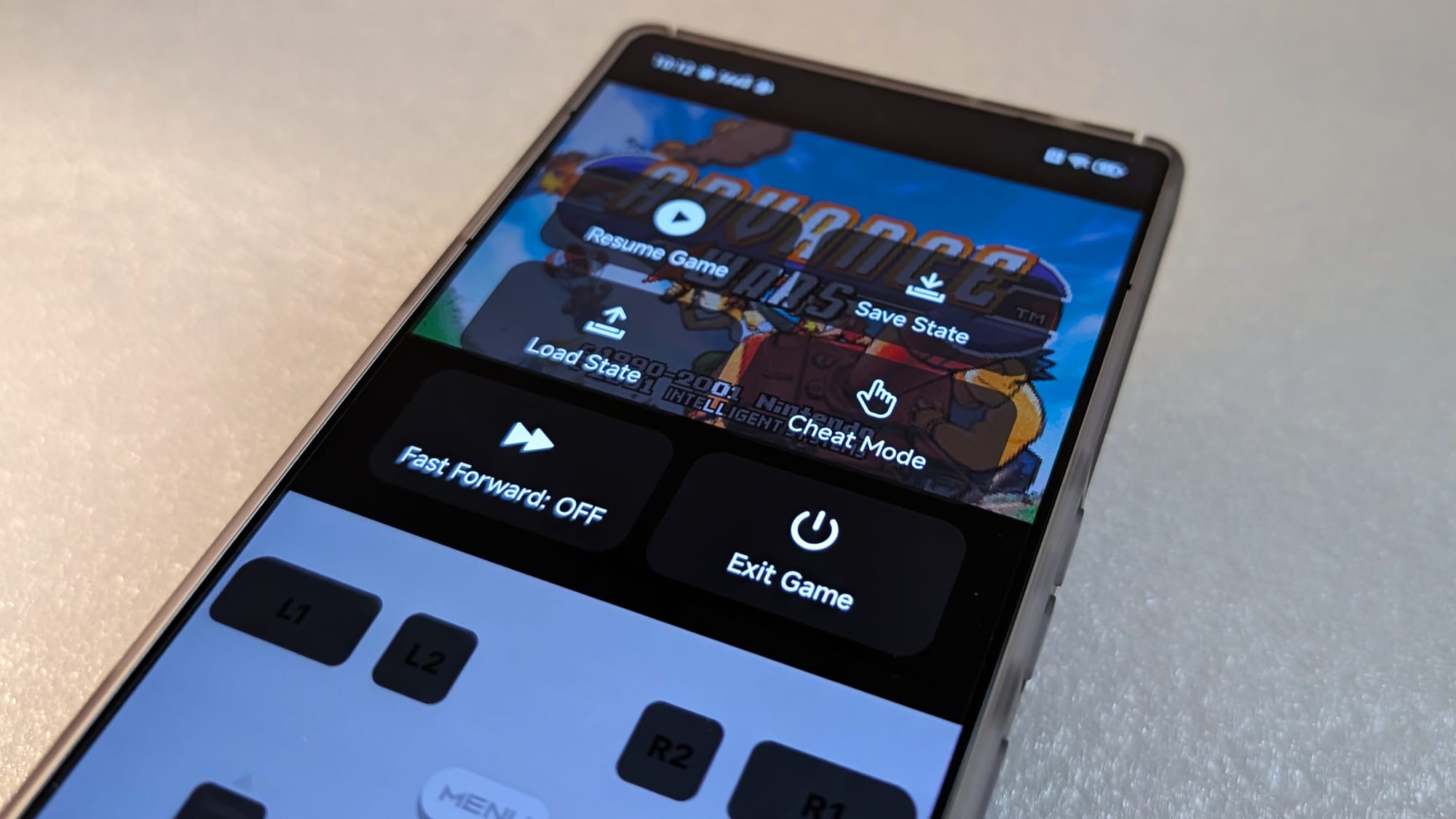
That said, there aren't too many features here. It has Save States, Fast Forward, and Cheats, but that's it. There are no settings for shaders, upscaling, or other fine-tuning of the experience. I don't believe this is the final build of the app, so I hope they are added in the future.
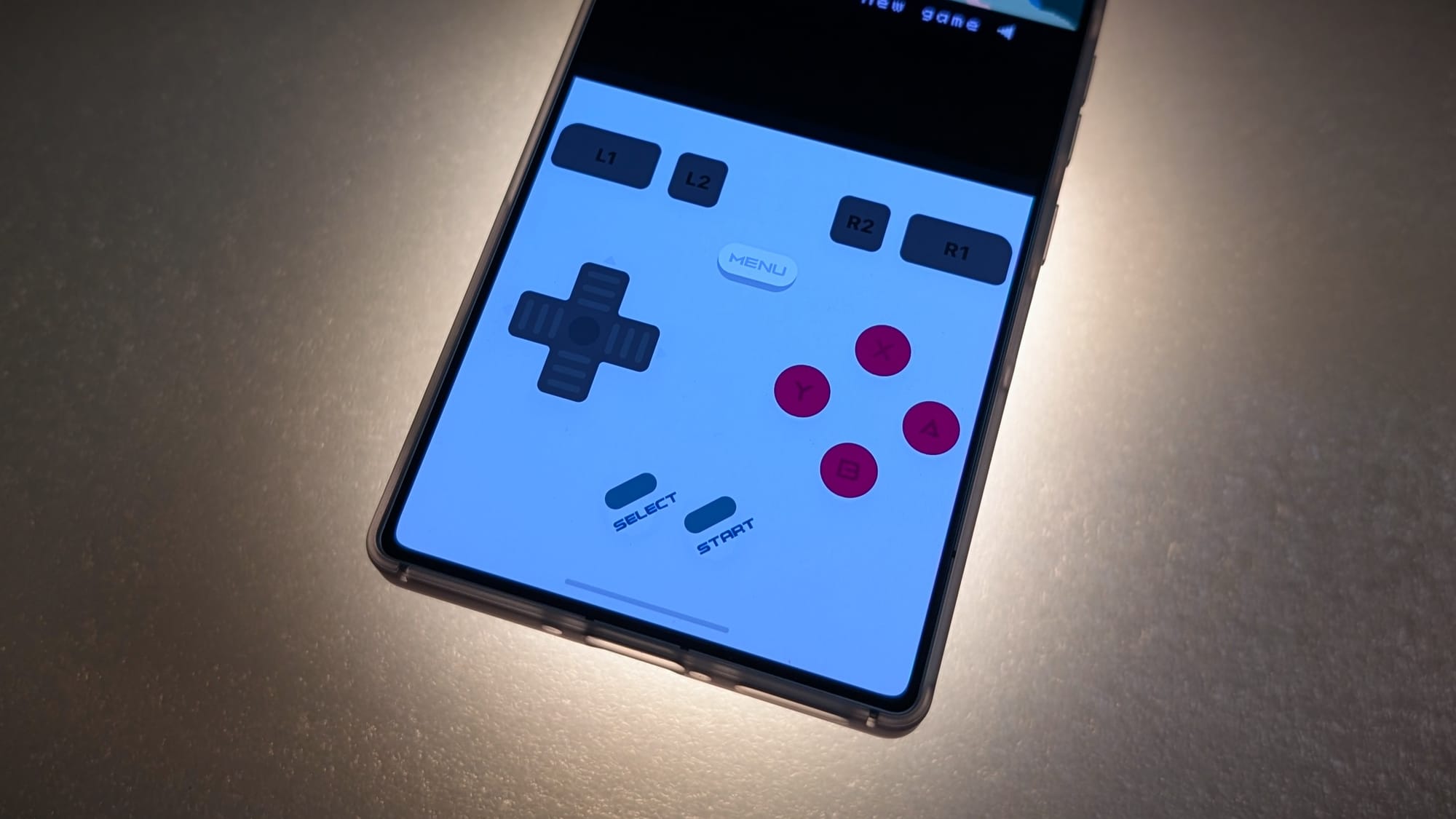
The app has touchscreen controls by default, but it works much better if you attach the GameSir Pocket Taco controller. Personally, I found the touch controls pretty finicky, but I don't like touch controls so I may be biased. If you're used to playing mobile games, you may find it easier to adjust.
My sources within the company were not shy about the fact that GameSir Boy exists primarily to sell Pocket Taco controllers. You don't need the controller to use the app and you don't need the app to use the controller, but the two work together better than any other software/hardware combination on the market.
There's an option in settings to adjust the size of the "dead space" beneath the game, so nothing is hidden behind the controller, no matter how big or small your phone is. You can also do this globally via the GameSir app, which has a bunch of other input customization options for the Pocket Taco.
In terms of games, you can import ROMs just like any other frontend, although it doesn't automatically determine which platform/core to load. The UI also isn't designed to browse hundreds of games, with no option to scrape game art or organize your collection.
If you haven't already dumped your physical carts into a perfectly legal collection of ROMs, the good news is that you can also download homebrew games for free.
Enjoying this edition of The Memory Core? Please consider leaving a tip to help cover the costs of this reporting.
In fact, that's the very first thing you see when you open the app. There is a "Trending" list of open-source games that you can download within the app at the touch of a button. These games do have the platform and core pre-selected, so you can hop right into gameplay without having to fiddle with settings.
And that's really the selling point here. This is primarily designed for people who are new to emulation. Users who are dipping their toes into retro gaming, and don't want to learn how to set everything up.
If you're reading this newsletter, that's probably not you. But it could be your friend, family member, or co-worker.
Now, I know what you're thinking. Here's GameSir, once again playing fast and loose with open-source projects for its own profit.
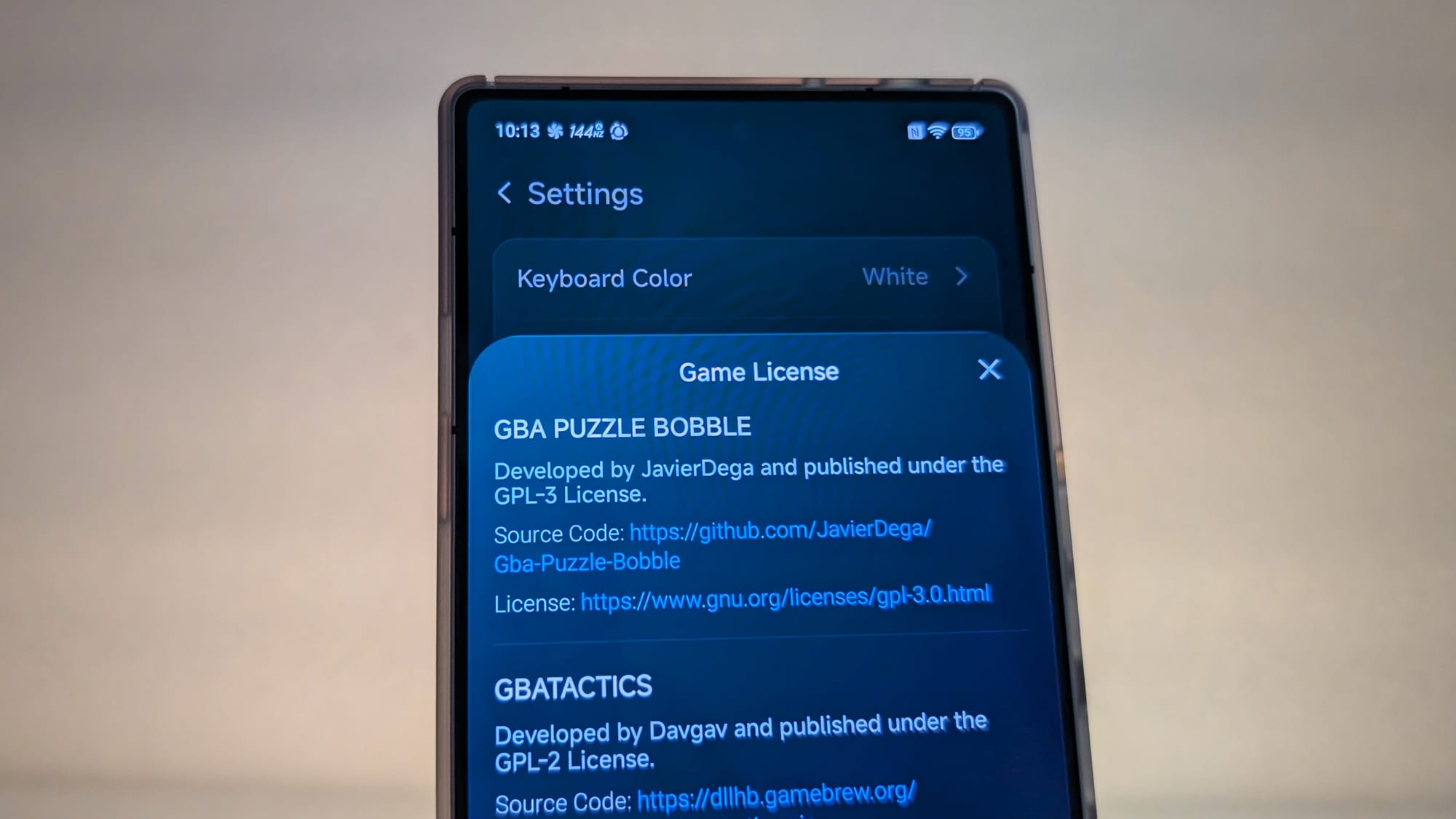
But this time, the company is doing things the right way. There's a long list of credits/licenses in the Settings menu for each game on the platform. As long as the company isn't hosting/distributing the games from its own servers, it's in the clear.
Well, legally, at least. Creating a big funnel with free open-source games to push people toward buying one of the company's controllers might still rub some people the wrong way.
As far as I know, the company hasn't officially announced the app to the global market, but it's already listed in the Chinese version of the Apple App Store. You can also download the Android APK from the official website.
Oh, and if you're wondering how the Pocket Taco controller is, it's great. It's less comfortable than a telescopic controller, but much more stable than any of the magnetic controllers I've tried. The slider case is also fantastic for tossing it into a bag.
It's also very discrete while in use, so you don't look like a dweeb busting it out to play some Pokémon on the bus. It mostly looks like you're tapping away at the keyboard like all the other normies. Perfect camouflage.
The Kickstarter campaign still has a few weeks to go if you want to snag one for cheap. Interestingly, it only has a little over 2,000 backers, but my sources indicate it sold more than twice than in its first day on the market in China.
Regardless, this is an interesting development that shows GameSir is committed to pushing further into the emulation scene. While I don't think it can outclass established players like RetroArch or Delta, I do think it can serve as a starting point for new users.
Or at the very least, help draw some attention to homebrew games, which never get the spotlight they deserve.